





















































🌟 Celebrating Over 25 Years of IT Excellence! 🌟

Logitech Computers your trusted partner in technology.

Need help? Call Us: 01847277644
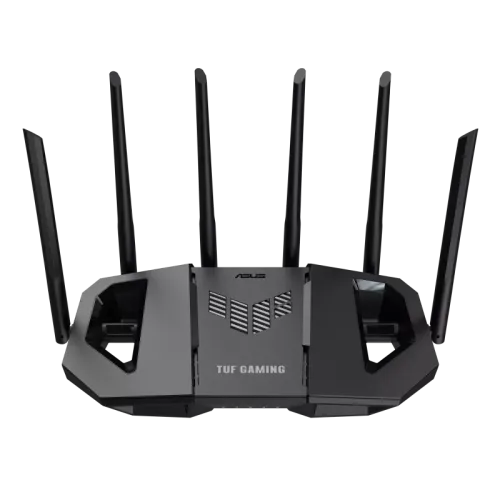
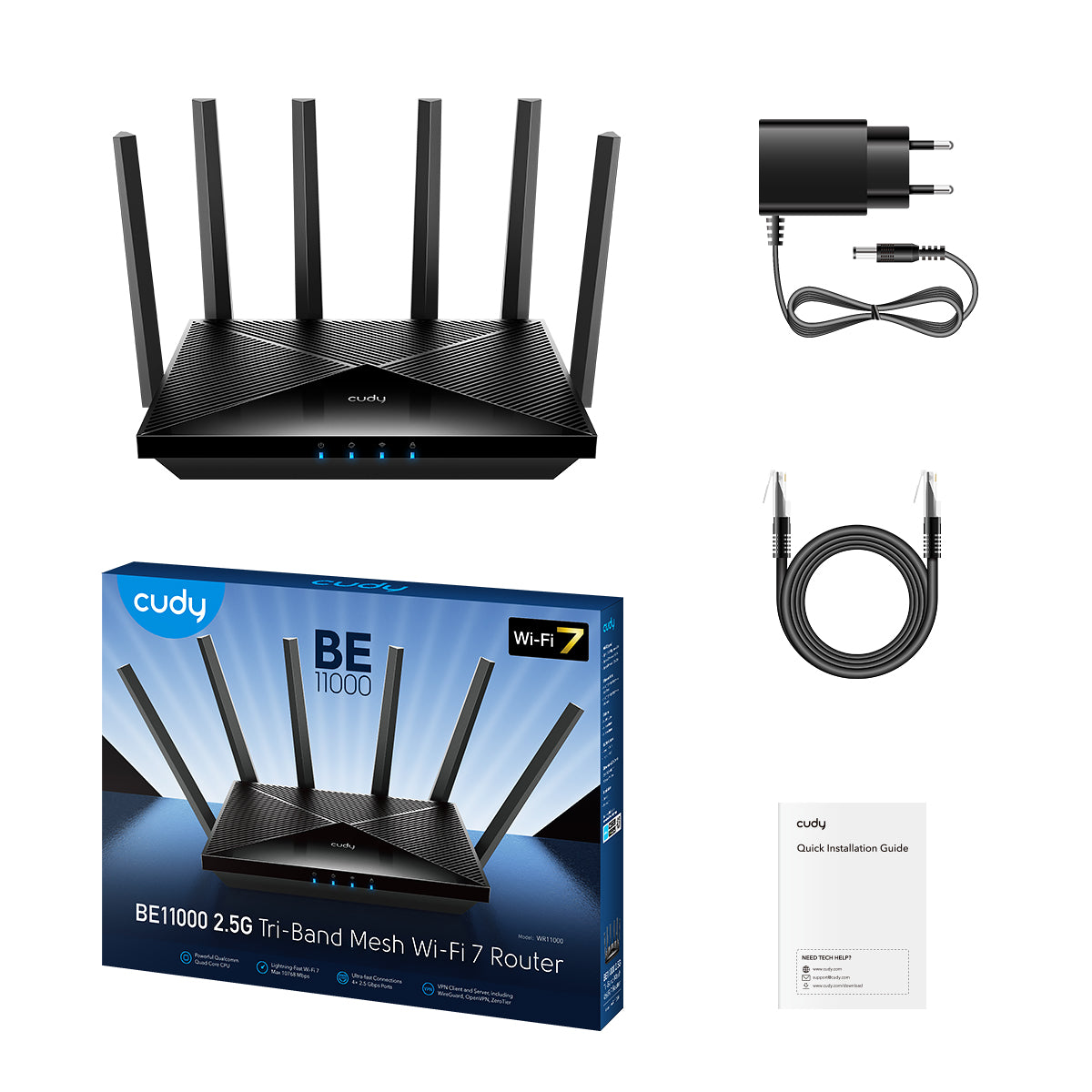
Cudy BE11000 2.5G Tri-Band Mesh Wi-Fi 7 Router

A tri-band WiFi 7 router with an aggregate of 10.6 Gbps speed and four 2.5G ports, catering to latency-sensitive, speed-demanding, and large-scale scenarios.

Status:In stock
Product Code:PRD-SMY-00097
Brand:Cudy
18,000 ৳
Quantity
- +
Cudy BE11000 2.5G Tri-Band Mesh Wi-Fi 7 Router
  • Description
  • Additional Information
  • Review

Model Version
WR11000 1.0
CPU
CPU Details1.5 GHz Quad-Core CPU, ARM Cortex-A53
Memory/Storage
Flash/ROM128 MB (1 Gbit) NAND
DDR/RAM512 MB (4 Gbit) DDR4
Wireless
6 GHz Wi-Fi Speed5765 Mbps
5 GHz Wi-Fi Speed4324 Mbps (240 MHz)
2882 Mbps (160 MHz)
2.4 GHz Wi-Fi Speed688 Mbps
6 GHz Wi-Fi Streams2T2R (2×2 MIMO)
5 GHz Wi-Fi Streams2T2R (2×2 MIMO)
2.4 GHz Wi-Fi Streams2T2R (2×2 MIMO)
Wi-Fi Antennas6× Fixed
FEM or PA/LNA
  • 6 GHz: 2× High-Power
  • 5 GHz: 2× High-Power
  • 2.4 GHz: 2× Standard
BeamformingTrue
Range PerformanceMax: 240 m (787 ft)
Tested in open-space environments with minimal interference. Actual WiFi range may vary depending on layout and wall materials. Refer to the Wall Performance specifications for placement suggestions.
Wall PerformanceTwo wooden walls with thickness < 10 cm (4'')
One concrete wall with thickness < 20 cm (7'') or two concrete walls with thickness < 10 cm (4'')
Interfaces
2.5G RJ45 Ports4
Ethernet Notes1× WAN port, the rest are LAN ports
LED
  • System
  • Internet
  • Wi-Fi
  • WPS
Physical Buttons
  • Power On/Off Button
  • WPS Button
  • Reset Button
Power InputDC Jack
Power
Power MethodsDC
DC Input12V 2A
Power AdapterInput: 100 ~ 240 V, 50/60 Hz AC
Output: 12V 2A DC
Max Power Consumption (W)22W
Idle Power Consumption (W)12W
Reliability
Environment
  • Operating Temperature: 0 ℃ ~ 40 ℃ (32 ℉ ~104 ℉)
  • Storage Temperature: -40 ℃ ~ 70 ℃ (-40 ℉ ~ 158 ℉)
  • Humidity: 10% ~ 90% non-condensing
  • Storage Humidity: 5% ~ 95% non-condensing
Certifications
FCC, CE
Mechanical
Installation
  • Desktop
  • Wall-mount
DimensionMain Part:
253×152.5×48.2 mm
9.96×6×1.9 inches
Antenna:

Product Weight643.4 g (22.7 oz.)
Package Content
  • WR11000
  • Power Adapter
  • Ethernet Cable
  • Installation Guide
Ordering Information
Retail Package WeightEU: 1236.3 g (43.61 oz.)
Retail Package Dimension431×324×58 mm
16.97×12.76×2.28 inches
Units per Carton8
Carton Dimension49.2×44.5×34.4 cm
19.37×17.52×13.54 inches
Carton Gross WeightEU: 10.9 kg (24.03 lbs)
Carton Net WeightEU: 9.9 kg (21.83 lbs)

  1. Actual wireless data throughput will vary as a result of network conditions, client limitations, and environmental factors including building layout, obstacles, and client location.
  2. The wireless coverage claim serves as a reference only. Coverage performance will vary due to environmental factors including building layout, obstacles, traffic volume and density, and device location. For optimal coverage, please place the device in a central location within the area requiring Wi-Fi.
  3. Actual performance for multiple devices may be affected by the types of applications used, the total available bandwidth, and the capabilities of your devices. Connecting older Wi-Fi devices (legacy standards) may reduce overall efficiency. Using efficiency features requires compatible client devices that also support those features. Find more information about supported efficiency features in the software section of the Specs spreadsheet.

Software Specs
Model Version
WR11000 1.0
Wireless
Wi-Fi StandardsWi-Fi 7
Max Wi-Fi Modulation4K-QAM
Wi-Fi Efficiency
  • MLO
  • MRU
  • Puncturing
  • OFDMA
  • MU-MIMO
  • BSS Color
Max Capacity384
Recommended Client Upper Limit200
Max Wi-Fi Channel Width320 MHz
Wi-Fi SecurityWPA/WPA2/WPA3
Guest Network2.4 GHz, 5 GHz, 6 GHz
WPSTrue
General
Operation Modes
  • Wi-Fi Router
  • Access Point
  • Range Extender
  • WISP
  • Client
MeshCudy Mesh
Mesh Backhaul
  • Wireless Backhaul
  • Wired Backhaul
Multi-Band BackhaulTrue
WAN Mode
  • DHCP
  • Static IP
  • PPPOE
  • PPTP
  • L2TP
Network
QoSPer-User Rate Limiting
DHCP
  • Address Reservation
  • DHCP Client List
  • Server
IP VersionsIPv4/IPv6
IPv6 Protocols
  • Relay
  • Dynamic (SLAAC/DHCPv6)
  • Static (Fixed IP)
  • Passthrough
  • 464XLAT
  • MAP-E
  • DS-Lite
IPTV/VLAN
  • Bridge
  • Tag VLAN
  • VoIP VLAN
  • IPTV VLAN
TTL Customization
  • Extend
  • Spoof
  • Custom
IGMP
  • IGMP Proxy
  • IGMP Snooping
Forwarding
  • Port Forwarding
  • Port Triggering
  • UPnP
  • DMZ
Firewall
  • SPI Firewall
  • DoS Protection
  • Block PING
Application Layer Gateway
  • IPSec Passthrough
  • L2TP Passthrough
  • PPTP Passthrough
  • FTP Passthrough
  • TFTP Passthrough
  • H323 Passthrough
  • SIP Passthrough
  • RTSP Passthrough
Utilities
VPN Server
  • WireGuard
  • OpenVPN
  • IPsec
  • Zerotier
  • PPTP
  • L2TP
VPN Client
  • WireGuard
  • OpenVPN
  • IPsec
  • Zerotier
  • PPTP
  • L2TP
VPN Performance
  • OpenVPN Client (UL/DL): 161 / 130 Mbps
  • OpenVPN Server (UL/DL): 153 / 119 Mbps
  • WireGuard Client (UL/DL): 771 / 671 Mbps
  • WireGuard Server (UL/DL): 789 / 658 Mbps
DNS Options
  • DNS over TLS
  • Manual DNS
  • Rebind Protection
  • Override Clients' DNS
DNS over TLS Providers
  • Cloudflare
  • Google
  • Quad9
  • Custom
Wake on LANTrue
Online DetectionTrue
Management
Parental Controls
  • Profiles Settings
  • Offline Time
  • Online Time
  • Pause the Internet
  • Web Filter
All Devices Management
  • Wi-Fi Time Schedule
  • MAC Filter
  • IP/MAC Binding
Per-Devices Management
  • Internet On/Off
  • VPN On/Off
  • Online Time Schedule
  • Device Rename
Content Management
  • Domain Filter
  • IP Filter
System
LED ControlTrue
Local Control Method
  • Config Web Page
  • App Control
Remote Control Method
  • Config Page via HTTPS
  • App Control
  • TR069/TR098/TR111/TR143/TR181
Firmware Upgrade
  • Local Update
  • App (Over the Air)
  • Online Update
Reliability
  • Timed Reboot
  • Backup and Restore
Diagnostic Tools
  • Diagnosis
  • Ping
  • Traceroute
  • NSLookup
  • System Log
Languages
  • English
  • Bengali
  • Catalan
  • Czech
  • German
  • Greek
  • Spanish
  • French
  • Hebrew
  • Croatian
  • Hungarian
  • Italian
  • Japanese
  • Khmer
  • Korean
  • Dutch
  • Norwegian
  • Polish
  • Portuguese
  • Romanian
  • Russian
  • Slovak
  • Swedish
  • Thai
  • Turkish
  • Ukrainian
  • Vietnamese
  • Simplified Chinese
  • Traditional Chinese
Dashboard
Panel
  • Internet Status
  • Devices Management
  • WAN Status
  • LAN Status
  • Wi-Fi Status
  • VPN Status
  • DHCP Server Status
  • System Version
Charts
  • Internet Speed
  • Wi-Fi Speed

  1. Actual wireless data throughput will vary as a result of network conditions, client limitations, and environmental factors including building layout, obstacles, and client location.
  2. The wireless coverage claim serves as a reference only. Coverage performance will vary due to environmental factors including building layout, obstacles, traffic volume and density, and device location. For optimal coverage, please place the device in a central location within the area requiring Wi-Fi.
  3. Actual performance for multiple devices may be affected by the types of applications used, the total available bandwidth, and the capabilities of your devices. Connecting older Wi-Fi devices (legacy standards) may reduce overall efficiency. Using efficiency features requires compatible client devices that also support those features. Find more information about supported efficiency features in the software section of the Specs spreadsheet.


0.0

(0 Ratings)

5
0
4
0
3
0
2
0
1
0
Write a review:
Home
Shop
Account
Wishlist
0
Cart
  • Address: BCS Computer City, IDB Bhaban, Dhaka 1207
  • Email: contact@logitechcomputers.com
  • Phone: 01847277644
Compare Products
Compare
WhatsApp Support
Hello there 👋
How can we help you?
I need help with your service